0x2c Telephone Status
Telephone 0xc8 → GT 0x3b
Telephone 0xc8 → Multicast: Displays 0xe7
Reports the current telephone state.
Examples
C8 04 E7 2C 00 07
C8 04 E7 2C 12 15
C8 04 E7 2C 10 17
Properties
Fixed length bitfield of one byte.
# Bitmasks
HANDSFREE           = 0b0000_0001
PHONE_MENU          = 0b0000_0010
ESTABLISHING_CALL   = 0b0000_0100
SCREEN_LOCKED       = 0b0000_1000
POWER               = 0b0001_0000
ON_CALL             = 0b0010_0000
ADAPTER_STATE       = 0b0100_0000
NO_NETWORK          = 0b1000_0000
Handsfree 0b0000_0001
Denotes whether the call is taking place via handset, or via handsfree (speaker phone). This flag has several effects discussed below.
HANDSET     = 0b0000_0000
HANDSFREE   = 0b0000_0001
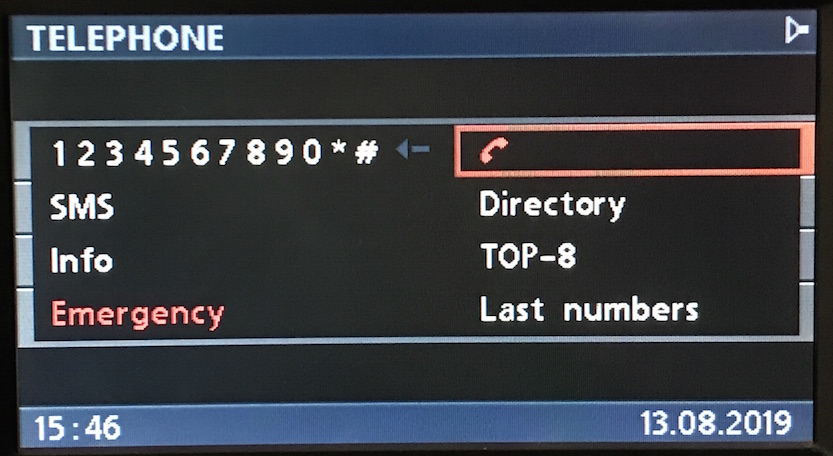
Handsfree Icon (BMBT)
When handsfree is active the BMBT displays the speaker phone icon.
Handsfree Icon (MID)
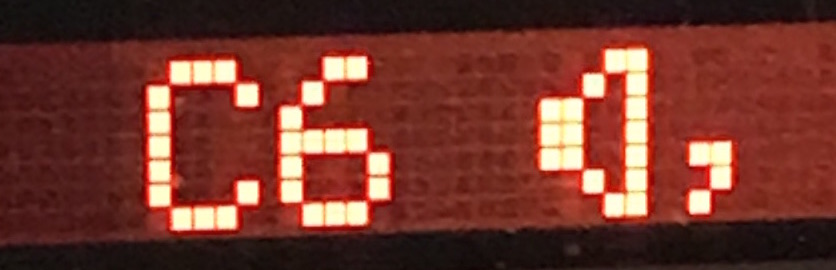
I’ve noticed that switching between handset/handsfree also causes the following to be sent:
# Handsfree On
C8 07 E7 23 02 00 "C6" 05

# Handsfree Off
C8 06 E7 23 02 00 "20" 28
This is likely for MID, as 0xc6 is the character code for the speaker icon.
Volume Control
When handsfree is active, the BMBT and MFL will send volume control commands to telephone instead of radio.
# Handsfree: volume control sent to telephone
F0 04 C8 32 21 2F   # BMBT
50 04 C8 32 11 BF   # MFL

# Handset: volume conrol sent to radio
F0 04 68 32 21 8F   # BMBT
50 04 68 32 11 1F   # MFL
This is due to the telephone having an audio output that- unlike most audio sources, is not routed via the radio, thus requiring independent volume control.
Phone Menu 0b0000_0010
Indicates that the telephone menu is active on the on-board monitor or MID.
INACTIVE = 0b0000_0000
ACTIVE   = 0b0000_0010
Establishing Call 0b0000_0100
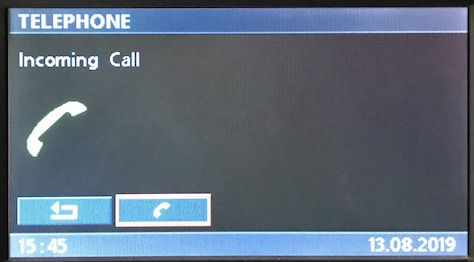
This denotes an incoming, or outgoing call.
# INACTIVE      = 0b0000_0000
# ESTABLISHING  = 0b0000_0100
When set, the following screen is displayed:
Caller ID
The layout will have no text, but this can be added via:
C8 <LEN> E7 23 80 20 "Incoming Call" <CS>
C8 <LEN> E7 23 81 20 "Incoming Call" <CS>
C8 <LEN> E7 23 82 20 "Incoming Call" <CS>
Screen Locked 0b0000_1000
Indicates that the telephone screen is locked.
UNLOCKED = 0b0000_0000
LOCKED   = 0b0000_1000
Power 0b0001_0000
# TELEPHONE_OFF = 0b0000_0000
# TELEPHONE_ON  = 0b0001_0000
Note: If bit is not set, GT will default to Main Menu. For example, if active bit is set for a call, upon setting to 0, GT will close Telephone and return to Main Menu.
On Call 0b0010_0000
Denotes if the a call is active.
 # NO_CALL  = 0b0000_0000
 # ON_CALL  = 0b0010_0000
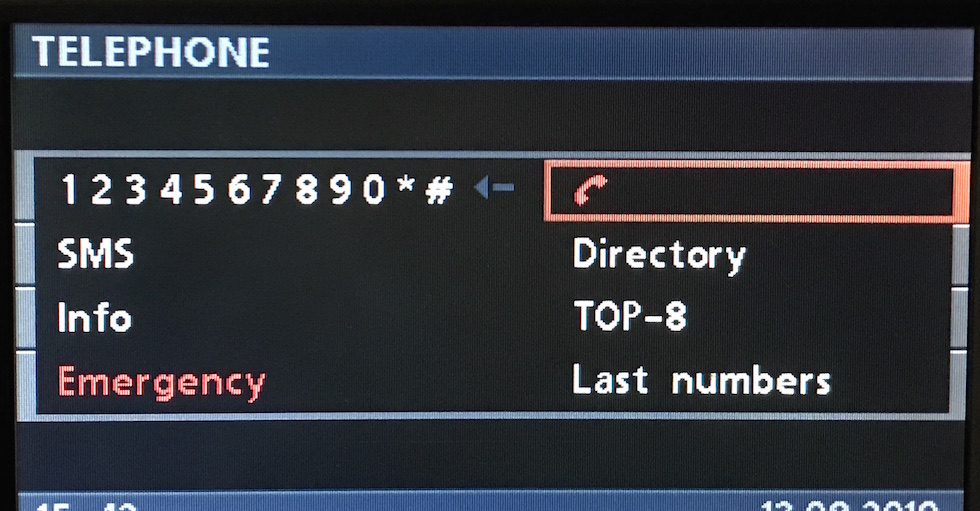
On Call Icon (BMBT)
When on a call the telephone icon on the BMBT will change to red, denoting “end call”.
On Call Icon (MID)
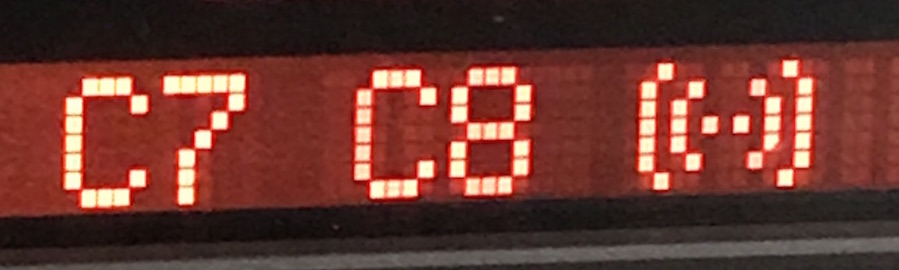
Like Handsfree, there’s an additional message sent to ANZV, which may be for the MID.
# Start Call
C8 07 E7 23 01 00 "C7 C8" 05

# End Call
C8 07 E7 23 01 00 "20 20" 0A
Adapter State 0b0100_0000
Older telephone systems use this bit to indicate whether the telephone adapter is installed.
NOT_INSTALLED = 0b0000_0000
INSTALLED     = 0b0100_0000
No Network 0b1000_0000
Later telephone variants use this bit when no mobile network is available.
NETWORK_AVAILABLE = 0b0000_0000
NO_NETWORK        = 0b1000_0000